Why I Do Not Use Vercel Hosting Anymore
Why I Do Not Use Vercel Hosting Anymore
Until now, I have been deploying toy projects on Oracle Cloud.
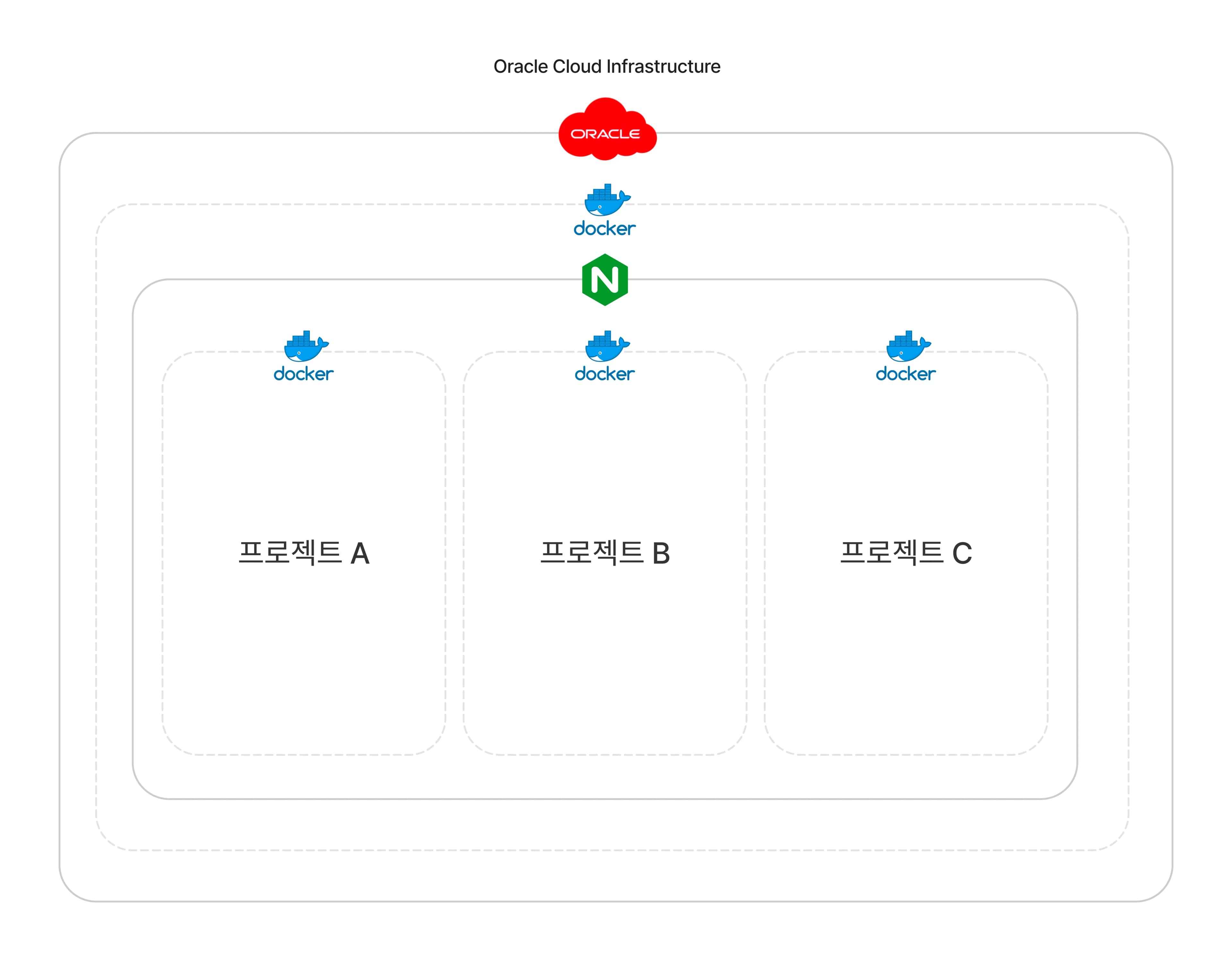

I was using Nginx to apply SSL certificates and distribute connections through a reverse proxy for projects running on Docker.
However, to add a new project in the current setup, I had to go through cumbersome procedures such as adding Github Actions to dockerize the project, adding the project to the Nginx configuration, and applying SSL.
Vercel
Therefore, for static pages or Next.js projects, I also deployed them through Vercel.
Using Vercel's hosting service allows for easy CI/CD setup by automatically linking to GitHub repositories and deploying easily.
However, while Vercel offers a free plan by default, costs may need to be considered if advanced features are required or if high traffic needs to be handled.
Additionally, to comfortably host projects like Nest.js and other container-based projects, I began to consider leaving Vercel for the self-hosting approach using my existing Oracle Cloud.
Coolify
Self-hosting with superpowers. An open-source & self-hostable Heroku / Netlify / Vercel alternative.
Coolify is an open-source self-hosting platform that helps developers easily deploy and manage applications, providing features to manage infrastructure conveniently and deploy various applications, making it a viable alternative to managed services like Vercel, Heroku, and Netlify.
Why Coolify?
So why did I choose Coolify among various self-hosting platforms?
- Self-hosting Platform
Coolifyis a self-hosting platform that users can install and operate directly on their own servers. This allows for cost savings and complete control over data and applications.
- Support for Various Applications
- It supports applications written in various programming languages such as Node.js, Python, Ruby, and PHP. Applications written in any language can be easily deployed through Docker images.
- Automated CI/CD Pipeline
- It provides a CI/CD pipeline that integrates with Git repositories, automatically building and deploying whenever code changes occur.
- Easy Setup and Management
- Applications and servers can be easily set up and managed through an intuitive web interface. Applications can be deployed conveniently without complex configurations.
- SSL/TLS Support
- Integrated with
Let's Encrypt, it automatically issues and renews SSL/TLS certificates, making it easy to maintain security settings.
- Reverse Proxy and Load Balancing
- It uses reverse proxies and load balancers like
Traefikto efficiently manage traffic and maintain high availability.
- Rolling Update Support
- The rolling update feature allows applications to be updated gradually without downtime. This helps maintain service continuity and ensures stability.
- Monitoring and Logging
- It monitors the performance and status of applications and collects logs to quickly resolve issues.
Getting Started with Coolify
To get started with Coolify, you just need to run a simple bash command. Detailed instructions can be found in the official documentation.
curl -fsSL https://cdn.coollabs.io/coolify/install.sh | bashOnce the installation is complete, you can access the Coolify dashboard at http://localhost:8000.
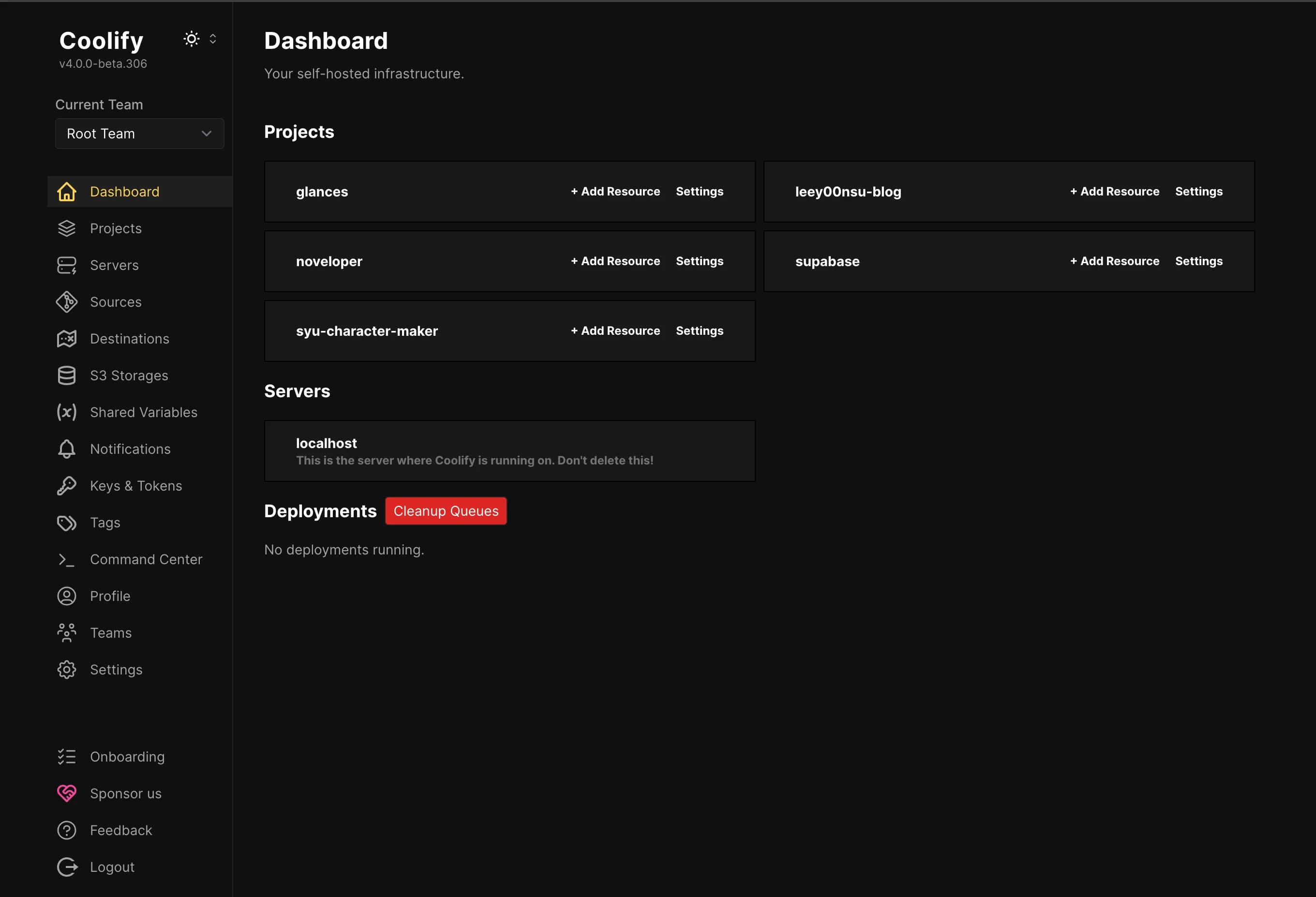

Domain Setup
To set the domain for a Coolify project, you need to obtain a domain through a domain provider service like Gabia.
At this time, if you set up a wildcard domain, you can dynamically configure subdomains like project1.domain, project2.domain, ... as projects continue to be added.
Deployment
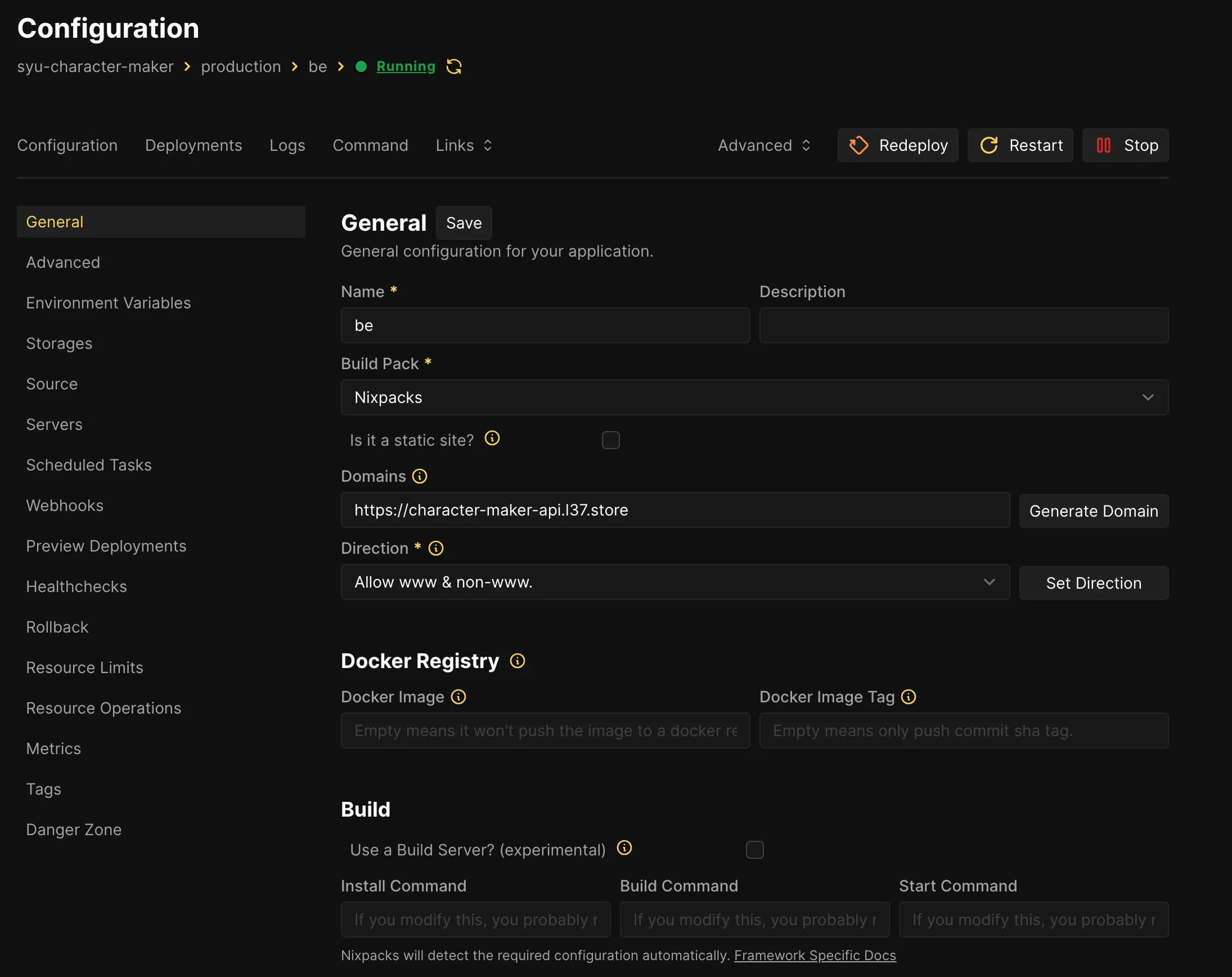

You can add projects through the UI and start new deployments.
By default, Coolify uses a build pack called Nixpacks to detect the type of application being deployed and build accordingly.
Additionally, you can deploy projects using Docker images or Docker Compose files, and you can also use applications that are pre-configured in Coolify.
Once a project is deployed, it will automatically be redeployed whenever a new commit occurs.
Zero-Downtime Deployment
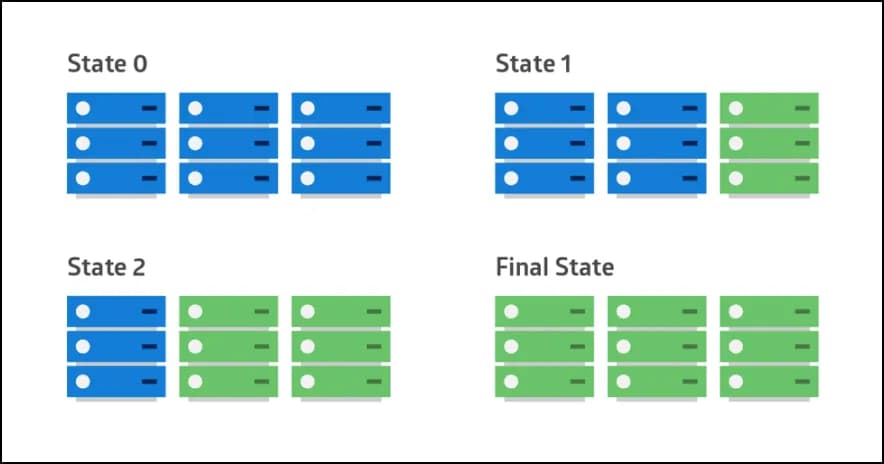

Coolify also provides a rolling update feature, allowing for zero-downtime services during application deployment.
- Container-Based Deployment
- Coolify primarily deploys containerized applications. It uses container technologies like Docker to run applications in isolated environments.
- Incremental Instance Updates
- It updates application instances one at a time. For example, if 10 instances are running, it first updates one, and if that update is successful, it proceeds to update the next instance.
- Load Balancing
- Instances that are not being updated continue to handle traffic. This helps maintain service continuity. Coolify uses load balancers like Traefik to manage traffic.
- Health Checks
- After each instance is updated, Coolify checks the status of that instance. Only instances that pass the health check are allowed to handle traffic.
- Automatic Rollback
- If an issue is found with an updated instance, Coolify rolls that instance back to the previous version. This helps ensure stability.
Conclusion
If you can accept the limitation that a certain level of instance specifications must be guaranteed to use Coolify, I am currently satisfied with the move from Vercel to Coolify.
While exploring Coolify, I saw a YouTuber refer to Coolify as Kubernetes for Babies.
Kubernetes has a reputation for being difficult, making it hard to approach, but Coolify seems to provide an easy way to experience tools for deploying, scaling, and managing containerized applications.