2023. 11. 5.leey00nsu
Setting Up Prettier Import Order
Sorting Import Order in Prettier
As you work on a project, imports can often pile up without any organization.


By using Prettier to sort imports in a specific order, your code will be easier to read later on.
So let's install the library that helps with this sorting, prettier-plugin-sort-imports.
@trivago/prettier-plugin-sort-imports
npm i @trivago/prettier-plugin-sort-importsAfter installation, you need to add it to your existing Prettier configuration.
In my case, the configuration file is .prettierrc, so I added it there.
.prettierrc
{
	...
  "importOrder": [
    "<THIRD_PARTY_MODULES>",
    "^@/constants/(.*)$",
    "^@/apis/(.*)$",
    "^@/store/(.*)$",
    "^@/hooks/(.*)$",
    "^@/pages/(.*)$",
    "^@/features/(.*)$",
    "^@/components/(.*)$",
    "^@/ui/(.*)$",
    "^[./]"
  ],
  "importOrderSeparation": true,
  "importOrderSortSpecifiers": true,
  "plugins": [
    "@trivago/prettier-plugin-sort-imports",
		...
  ]
}
You specify the sorting order in importOrder using regular expressions.
Here, THIRD_PARTY_MODULES refers to external libraries.
Setting importOrderSeparation to true will add a blank line after each specified order.
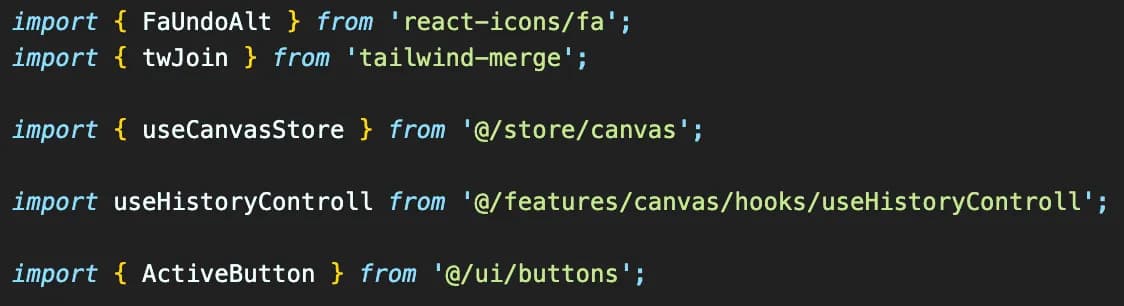

Now, when you run Prettier again, you will see that the import order has been sorted.